16 Jun 2025
Have you ever wondered how to deliver an app-like experience to your users without the high cost or app store friction?
A progressive web app could be the solution. As more companies turn to progressive web app development to boost engagement, performance, and ROI, understanding this technology is crucial.
Our comprehensive guide explores how PWAs can transform your digital strategy and help you reach customers more efficiently across all platforms.
Let’s start with the basics.
A Progressive Web App (PWA) is an application built using web technologies (HTML, CSS, JavaScript) that provides a user experience similar to a native mobile or desktop app.
In simpler terms, it’s a web app that progressively enhances itself with advanced capabilities—like offline access and push notifications—to behave more like an installable, native application. The term “progressive web app” was coined by Google engineers around 2015 to describe this new class of web applications.
PWAs effectively bridge the gap between websites and native apps, offering the best of both worlds. Users get a sleek, app-like experience without the friction of app store installs, which is valuable at a time when people are overwhelmed with too many apps and often reluctant to install new ones.
To clarify the terminology: “Progressive Web App” and “Progressive Web Application” are the same thing (often abbreviated as PWA). You might occasionally hear terms like “web progressive app” or “progress web app,” but these all refer to the concept of PWAs.
Essentially, a PWA is a web application enhanced with modern web APIs to be progressive, responsive, and app-like. It can be accessed via a URL like a website, yet it can also be installed to a device’s home screen and function offline like a traditional app. This combination means PWAs “combine the discoverability and reach of the web with the experience and engagement of an app,” as Forrester Research put it.
Progressive Web Apps come with several distinctive features that give them their app-like capabilities. Some key features of PWAs include:
A PWA can be installed on the device like a native app, getting its own icon on the home screen or desktop. When launched, it can run in full-screen mode without browser UI, providing an immersive experience. It even supports features like a custom splash screen and can auto-start or run at login on some platforms, making it feel like an integrated part of the device.
Unlike a traditional web app, a progressive web app can work offline or with poor network connectivity. Thanks to service workers (background scripts), PWAs cache important resources so that users can continue browsing content or using core features without an internet connection. This connectivity independence means the app remains usable even when the network is unavailable – a major advantage for reliability.
PWAs can send push notifications to re-engage users, just like native apps. They can also perform background tasks, for example, syncing data or content updates when the app isn’t open. This allows a PWA to stay “fresh” and up-to-date without user intervention. A news PWA could fetch the latest headlines in the background, or a chat PWA could receive messages and notify the user even when not active, mimicking native app behavior.
Modern web APIs give PWAs access to many device features. A progressive web app can use hardware components like the camera, GPS location, accelerometer, or microphone, where supported. It can also integrate with device features such as share dialogs, file handling, or authentication prompts. While not every native feature is available, the gap is closing. PWAs can even utilize advanced APIs like Web Bluetooth, WebUSB, or biometric authentication in supporting browsers.
By design, PWAs are responsive and work on any form factor – mobile, tablet, or desktop. They adapt to various screen sizes and orientations automatically. Importantly, a single PWA can run on multiple operating systems from one codebase.
The same progressive web app will function in Chrome on Android, Safari on iOS, or any modern browser on Windows, etc. This cross-platform nature is a core feature: one web app to serve all users (often called “write once, run anywhere”).
Progressive web apps are served via HTTPS to ensure security. In fact, HTTPS is typically a requirement, service workers will only work in secure contexts. This means PWAs benefit from the security of the web, with encrypted traffic and reassurance for users that the app is safe from tampering. Users can trust that a PWA protects their data just as a well-built website would.
Because they are web-based, PWAs are indexable by search engines and linkable via URLs. Users can discover a progressive web app through a normal Google search result, and share its content by simply sharing a link. This is a huge feature compared to native apps. A PWA can leverage SEO to attract users, and any page of the app can be accessed directly with a URL, reducing the friction to start using the app.
Users do not have to go through an app store to use a PWA. Simply visiting the website can prompt installation. This means no large downloads and instant access. However, it’s worth noting that distribution via app stores is also possible: PWAs can be packaged for stores like the Microsoft Store or Google Play if desired. In general, though, freedom from app stores means immediate updates and fewer barriers for users.
Progressive web apps update automatically in the background, so users always get the latest version without manual downloads or prompts. As soon as you deploy changes on the server, the next time the user goes online, the PWA can fetch the updated files. This seamless, behind-the-scenes update mechanism ensures all users are on the current version. It also spares your users from update notifications or having to periodically download large app updates, a convenience that 57% of users appreciate according to surveys.
Why build a progressive web app?
There are numerous benefits of PWAs for businesses, developers, and users alike. Here are some of the major advantages:
Because PWAs are distributed via the web, they have a broader reach than native apps. Users can discover a PWA through a simple web search or link click, without any install friction. This lowers the barrier to entry.
You can attract both desktop and mobile users with one progressive web app. And if users choose, they can then add it to their home screen. This flexibility combines the reach of a website with the engagement of an app. For businesses, it means one product can serve multiple audiences at once, simplifying your app strategy.
PWAs are proven to boost user engagement metrics. Their faster load times, smooth performance, and ability to work offline lead to users staying longer and interacting more. For example, companies adopting PWAs have seen significant jumps in usage and conversions.
Twitter reported a 65% increase in pages per session and a 20% decrease in bounce rate after launching Twitter Lite as a PWA. Pinterest saw time spent on site go up by 40% and ad revenue increase by 44% with their PWA. These are dramatic improvements. Overall, studies show PWAs can boost conversion rates by up to 50% compared to regular mobile websites.
They also encourage users to return more often; user retention can increase as much as 180% in some cases after switching to a progressive web app. Such gains in engagement and conversion directly impact revenue and growth.
Speed is a well-known factor in user satisfaction and conversion. Slow websites drive users away – in fact, 53% of users will abandon a site that takes longer than 3 seconds to load. PWAs help solve this by caching resources and loading content almost instantly on repeat visits. They are optimized for performance, often loading in a fraction of the time of traditional sites.
For instance, Tinder rebuilt their app as a PWA and cut load times from nearly 12 seconds to about 4.6 seconds, while also shrinking the app size by 90%. Faster, smoother apps keep users engaged (no janky scrolling or long waits) and reduce bounce rates. Google Search gives fast-loading mobile-friendly sites (like PWAs) a ranking boost as well, aiding SEO. All these factors mean a PWA’s performance improvements lead to more usage and higher user satisfaction, which is a major benefit.
Being able to use an app offline or on flaky networks is a huge benefit, especially in regions with inconsistent connectivity. By leveraging cached data, a PWA can let users browse content or even perform certain actions without the internet. This reliability keeps users from dropping off when they hit a tunnel or lose signal.
For example, Starbucks’ PWA allows customers to browse the menu and customize orders offline, then syncs when back online. The result was users using the app on the subway or in areas they previously couldn’t, increasing overall engagement. Similarly, MakeMyTrip (a travel site) saw a 3x increase in conversion rate and 160% more sessions by offering an offline-capable PWA that travelers could use on the go. A reliable, always-available app experience builds trust and loyalty among users.
With PWAs, you can target multiple platforms (iOS, Android, web, desktop) using one codebase, drastically reducing development and maintenance costs. There is no need to build and maintain separate native apps for each platform and a website, the progressive web app serves all. This can save enormous resources for startups and businesses. In fact, developing a PWA can be 3–8 times cheaper than developing native apps, by some estimates.
Gartner analysts have noted that businesses could save up to ~90% of development and maintenance costs by choosing a PWA over platform-specific apps. Those are compelling figures for any budget-conscious project. Additionally, a single development team (web developers) can deliver the app, and updates only need to be done once. This efficiency also leads to faster time-to-market for new features.
From the user’s perspective, PWAs eliminate the annoying aspects of app maintenance. There’s no lengthy download or update process. Users don’t have to install huge apps or constantly update them, a PWA is always up-to-date each time they open it, thanks to background updates. This means less user effort and device storage usage.
For businesses, this translates to always-current content and features in users’ hands (no legacy versions floating around). It also reduces customer support issues, since everyone is on the latest version with the latest bug fixes. Moreover, because adding a PWA to the home screen is lightweight, users are more likely to give it a try. They can “install” the app in seconds. Removing it is just as easy. This lack of friction often results in higher adoption rates compared to convincing a user to download a 50MB native app from an app store for a one-time need.
Distributing your app through the open web means you avoid app store fees and restrictions. Native apps often have to surrender 15-30% of revenue to app store commissions, and they must comply with store policies.
PWAs sidestep a lot of this. You can monetize your progressive web app freely (via subscriptions, ads, or direct payments on your site) without giving Google or Apple a cut. You also won’t be subject to unpredictable app review delays or policy changes. As an added benefit, you don’t need to pay developer account fees (like Apple’s annual $99 fee) just to host your app. In short, a PWA puts you in full control of distribution and monetization.
Since PWAs are essentially websites, all of your app’s content can be indexed by search engines. This is a marketing advantage, your app’s pages can show up in Google search results, driving organic traffic. Your content is shareable via simple URLs, which can go viral or be easily shared on social media and messaging.
In contrast, content locked inside a native app is invisible to search engines. By building a PWA, you gain the discoverability of the web. For companies that rely on content marketing or search traffic, this benefit is huge. Additionally, because PWAs are fast and mobile-friendly, they tend to rank well in mobile search results. All of this means a progressive web app can effectively serve as both your website and your app, consolidating your online presence into one.
Ultimately, the combination of the above benefits speed, offline access, easy usage, and small footprint leads to a great user experience, which fosters user satisfaction and loyalty. Many top progressive web apps have reported significant improvements in user engagement metrics.
For example, after launching their PWA, Alibaba.com saw a 76% increase in conversion rates across browsers and added tens of millions of new monthly active users. Lancôme’s PWA resulted in a 17% higher conversion rate and 8% lower bounce rate, as more mobile shoppers stayed and purchased. These outcomes stem from delivering a smoother, faster experience that users appreciate.
Happy users are more likely to reuse the service and recommend it. In an era where user experience is a key competitive differentiator, PWAs offer a way to provide an app-like, high-performance experience to every user without excluding those who hate installs or have older devices. This inclusive, optimized approach can strengthen your brand and customer satisfaction.
When does building a PWA make sense?
Given the pros and cons, it’s important to consider when you should choose a progressive web app for your project versus a traditional web app or a native app. Here are some guidelines:
Startups and businesses with limited resources should strongly consider PWAs. With one development effort, you cover web, mobile, and desktop. You can deliver app-like functionality to all devices from a single codebase.
If you were contemplating building both a website and mobile apps, choosing a PWA can save significant time and money. It’s an ideal choice for small teams or projects that can’t maintain separate iOS/Android dev teams. A progressive web app development company or agency can also be engaged to build a PWA if you lack in-house expertise, often at a fraction of the cost of multiple native apps.
PWAs are great for e-commerce, news, blogs, travel, and other content or service platforms that get a lot of their traffic from the web. If users often find your service via Google search or social media links, a PWA ensures they have a smooth experience immediately, without installing anything.
For example, an e-commerce site can benefit hugely: many shoppers are unwilling to download a native app for a one-time purchase, but a fast PWA can convert them on the spot. AliExpress’s PWA was a success because it captured casual visitors and turned them into buyers with an app-like interface, leading to a 104% increase in new user conversions. If your goal is maximizing conversion of web visitors or providing a quick onboarding for new users, PWAs are a top choice.
Apps that are used on the go, in the field, or by users with limited connectivity should consider a PWA. The ability to function offline or in low-bandwidth conditions is a killer feature. For instance, a PWA is perfect for a transit schedule app, educational content app, or field service app where users might be underground or offline. Even a restaurant or retail app that wants to show a catalog or menu offline can use a PWA. When your users must have basic functionality without the internet, a PWA is likely the way to go.
In scenarios where you plan to update the app frequently (daily content changes, iterative feature releases, A/B testing), a PWA offers unmatched agility. You can deploy updates on your server at any time, and all users will get the new version on their next use, no waiting for app store approvals or users delaying updates. This is valuable for SaaS products, news outlets, or rapidly evolving services. It allows truly continuous delivery.
As an example, developers have noted that with PWA they can push fixes or improvements even multiple times a day, whereas native apps might take weeks to get through users’ update cycles. So if time-to-market and flexibility are priorities, that’s when to choose a PWA.
Some applications are a better fit for the open web due to the nature of their content. If you suspect your app might face restrictions in app stores, a PWA can be a good route. Also, if your monetization strategy doesn’t align with app store rules, a PWA gives you that freedom.
Unlike native mobile apps, PWAs also shine on desktop. If you have a web app that you want users to be able to “install” on their desktop and run like a native desktop app, PWAs allow this.
For example, Outlook.com and Twitter have PWAs that can be installed on Windows, appearing in the Start Menu and functioning like desktop software. So for business or productivity apps where desktop use is common, a PWA offers a unified solution.
PWAs are ideal when you expect many users to interact infrequently or via web referrals. For example, consider a government service portal or an event app, many users will use it once or sporadically. They are unlikely to bother installing a native app, but a PWA can still give them a great experience in the browser. Similarly, if your audience spans various device types, a web-first approach ensures inclusivity.
Understanding how progressive web apps work under the hood can help clarify why they offer those capabilities. Here’s a simplified overview:
This is a special JSON file that you include in your website which provides metadata about your app and instructions for how it should behave when installed. The manifest is what allows a browser to “install” the web app to the home screen and treat it like an app. It contains the app’s title, a description, the start URL, icons in various sizes, the display mode, orientation lock, and other settings. When a user adds the PWA to their device, the browser uses this manifest to create the app icon and integrate it into the OS.
Essentially, the manifest turns a regular website into an installable app by providing the necessary app-like metadata. If the manifest meets certain criteria, browsers will prompt the user that “this website can be installed”. Having a proper manifest is a core requirement of progressive web apps and without it, the site cannot be installed or launched in app mode.
A service worker is a JavaScript file that runs in the background, separate from the web page, and acts as a proxy between the web app and the network. It is the cornerstone of PWA capabilities like offline support and push notifications. Once you register a service worker, it can intercept network requests from your app and serve cached responses, allowing the app to function offline or on flaky connections.
The service worker can cache key assets (HTML, CSS, images, data responses) during its install phase. Then, when the user navigates or tries to fetch data, the service worker can respond with cached data if the network is unavailable or slow. This gives the impression of seamless offline functionality.
Service workers also enable things like background data sync and handling of push events, when a push notification is received, the service worker wakes up to display the notification even if the app is not open.
Many PWAs use what’s known as an “app shell” model. This means the basic UI shell is cached by the service worker and loads instantly on repeat visits, then content is loaded dynamically. This way, even if the network is slow, the user immediately sees the framework of the app and a cached version of content or a friendly offline message. This technique contributes to the fast, app-like feel of PWAs.
As mentioned, service workers enable background functionality. For example, Periodic Sync can let your PWA periodically fetch updates in the background. Web Push allows sending notifications that trigger the service worker. There’s also a Background Sync API for queued actions. These background APIs give web apps capabilities that were traditionally only in native apps.
It’s worth noting that even when “installed,” a PWA is still running within a browser engine. The browser provides the runtime but when the PWA is launched from the home screen, the browser UI is hidden, so it looks and feels like a standalone application.
The fact that it’s the browser under the hood is generally invisible to the user. In technical terms, on Android for instance, a PWA added to the home screen runs in a Chrome instance with a separate window, and on Windows a PWA installed via Edge actually appears as a separate app process. The browser ensures the PWA’s code is executed safely, acting like an OS for web apps. But to the user, the experience is of tapping an icon and opening an app.
The “Progressive” in PWA is about progressive enhancement, the idea that the app will work for everyone at some level, and add features if the browser supports them. A properly built progressive web app will still function as a normal web page on older browsers (just without the PWA extras).
As users visit on more capable browsers, features like offline caching and installation become available. This means developers design PWAs in a layered way: basic functionality is always available, and advanced functionality kicks in on supported clients. This approach ensures no one is completely left out; it also aligns with best practices in web development for accessibility and compatibility.
Developing a progressive web app involves enhancing a regular web application with the PWA requirements and best practices.
Here’s our exclusive guide on how to develop a PWA:
You typically begin with your base web application. Ensure you have a responsive design that works on mobile screens. Use modern web frameworks or standard HTML/CSS/JS, any approach is fine as long as the app runs in a browser. You can build from scratch or use a framework of your choice.
Set up your site to be served securely via HTTPS. This is mandatory for PWA features to work. If you’re just in development on localhost, that’s okay for testing, but your production must have HTTPS. Most progressive web app development services or hosting providers will help you enable HTTPS easily.
Next, create the manifest.webmanifest (or .json) file. This is a small JSON file in your project that includes at least the following:
Link to this manifest in your HTML <head> (e.g. <link rel=”manifest” href=”/manifest.webmanifest”>). The manifest is what the browser examines to know how to install your app.
Ensure the manifest has all required fields. Browsers typically require at least a name, an icon, and a start URL to consider it installable. You can also specify things like orientation lock (e.g., landscape only), categories, and related applications. There are online generators and tools to help create a correct manifest and generate icon images in all needed sizes.
Write and register a service worker script for your app. In your website’s JavaScript (e.g., main.js), you would include something like:
js
CopyEdit
if (‘serviceWorker’ in navigator) {
navigator.serviceWorker.register(‘/sw.js’)
.then(() => console.log(“Service Worker registered”))
.catch(err => console.error(“SW registration failed:”, err));
}
This tells the browser to load your sw.js service worker file (you can name it differently) and register it. In the service worker file, you’ll set up event listeners for the install, activate, and fetch events. During the install event, you generally cache the essential files using the Cache API.
During fetch events, you intercept network requests and respond with cached data when available. There are various caching strategies to choose, and which you use might depend on your app’s needs. The goal is to provide a fast response and offline capability.
If your app needs push notifications, set up Push API and Notifications API. This typically involves integrating with a push service and writing code in the service worker to listen for push events and then show notifications. If you want background sync, use the Background Sync API, your web app can register sync tasks that the service worker will run later.
Many of these advanced features will require user permission (e.g., notifications prompt the user for permission). Ensure you request and handle those permissions appropriately in the app. Not every PWA will need these; they are add-ons based on your use case.
Build your app to be fast and lightweight. Use performance optimizations like minifying resources, lazy-loading images, etc. A good rule is to aim for the first load under a few seconds and subsequent loads almost instant. Make sure your app is responsive to different screens and works with various input methods (touch, mouse).
Also handle the situation when the app is offline gracefully. For example, show an offline message or use cached content, rather than just breaking. In other words, design a good offline UX fallback.
There are tools that can streamline PWA development.
For instance, PWA Builder (from Microsoft) can analyze your site and generate a service worker and manifest if you don’t have one, essentially turning a web site into a basic PWA. It also helps in packaging your PWA for various app stores if you choose.
Many frameworks have PWA support. If you use Create React App, it comes with a service worker setup out-of-the-box. Angular has an @angular/pwa package that sets up a service worker and manifest for you.
Next.js has a plugin for PWA support; Ionic provides tools to build PWAs with Angular/React, etc. Even Flutter web apps can be configured as PWAs easily. So, consider leveraging these to reduce manual work.
Google Chrome’s DevTools has an auditing tool called Lighthouse which can test how PWA-ready your app is. It will check for things like:
Lighthouse will give you a score and list improvements. Using it during development is highly recommended, it ensures you meet all the progressive web apps requirements for being installable and reliable. For example, if your manifest or service worker has an issue, Lighthouse will flag it so you can fix it.
Once your PWA is built and passes tests, deploy it to a hosting service (just like a website). Then try installing it on various devices yourself. See how it behaves when installed from Chrome on Android, from Edge or Chrome on desktop, from Safari on iOS. Verify that offline mode works by turning off your network and seeing if the app still functions for cached parts.
After launch, you can update the app by simply deploying new files. Version your caches (so the service worker knows to update them), and the updates will propagate. Keep monitoring performance and engagement. One advantage is you can push quick fixes any time without user intervention, use that to your benefit.
Now that we’ve covered what PWAs are and how to build them, it’s useful to clarify the difference between a standard web app and a progressive web app. In essence, a PWA is a type of web app, one that meets certain criteria to give an app-like experience.
A regular web app is something a user visits in a browser. It could be a static website or a dynamic single-page app, but it typically requires an internet connection for most functionality and is not installable. A traditional website is “somewhere the user visits” rather than something they own on their device. It doesn’t have an icon on the home screen. When the user closes the browser tab, the app essentially goes away until the next visit.
Traditional web apps rely on the network for each interaction (if you’re offline, you usually just see a browser error). They also always run within the browser’s UI (address bar, etc. visible). In terms of development, a normal web app might not include a manifest or service worker – it’s just a website that loads when accessed. The benefit of a standard web app is that it’s cross-platform and easily accessible, but the downside is the lack of native-like features and offline capability.
A PWA, by contrast, combines the best of the web and apps. Like websites, PWAs use standard web tech and can be accessed via URLs on any device (so you still have that single codebase advantage). But they also have characteristics of platform-specific apps: they can be installed to the device, work offline, send push notifications, run in the background, and integrate with OS features.
In other words, a progressive web app is a web app that has been enhanced with extra files (manifest, service worker) to allow it to function more like a desktop or mobile application. All PWAs are web apps, but not all web apps are PWAs.
A web app must meet certain baseline of “app-like” capabilities to be considered a PWA. The user’s perspective of a PWA is that it is “something I have on my device” rather than a website I have to navigate to. For example, once a user installs a PWA, it lives on their home screen and they can launch it without going to the browser first.
| Progressive Web App | Native Mobile App | |
| Development approach | Built using web technologies (HTML, CSS, JavaScript) | Developed using platform-specific language (Java/Kotlin for Android, Swift/Objective-C for iOS) |
| Installation | Installed via the user’s browser | Installed via app stores |
| Access to device | Limited access like camera and Bluetooth | Full access to device features and APIs |
| Performance | Slower compared to native apps | Faster compared to a PWA |
| Offline functionality | Limited through service worker | Full offline functionality with local data storage |
| Discoverability | Less discoverable compared to native apps | Easier to find through app stores |
| Updates | Update seamlessly in the background without user intervention | Requires mobile app users to download updates from app stores |
| Cost | Generally cheaper to develop and maintain | Higher development and maintenance costs |
| Platform compatibility | Works across multiple platforms (desktop, mobile, tablet). | Works on specific platforms for which it is developed (iOS/Android) |
| User experience | Consistency varies across different browsers and devices | Consistent user experience tailored to particular platform standards |
| Integration with OS | Limited integration capabilities | Full integration capabilities |
| Push notifications | Supports push notifications with service workers | Native support for push notifications |
Here’s a quick point-by-point difference summary:
Many leading companies and startups have embraced PWAs, leveraging them to improve performance and user engagement. Let’s look at examples of progressive web apps that are considered among the best in the industry, along with the outcomes they achieved:
Twitter launched “Twitter Lite” as a PWA for mobile web users. This progressive web app is extremely lightweight and fast, the core app is under 600KB, far smaller than Twitter’s native app. It loads in under 3 seconds on most devices.
The result of Twitter’s PWA initiative was impressive:
Pinterest rebuilt their mobile web experience as a PWA when they found their conversion rates on mobile web were lagging. The PWA addressed performance issues and added capabilities like offline caching.

After the switch, Pinterest reported a 40% increase in time spent on their mobile site and a 44% increase in user ad revenue (since people were more engaged). Core engagements rose as well, Pinterest’s PWA saw user-generated content (like pins) increase, indicating higher user activity. The Pinterest case is often referenced by Google to showcase how a faster, more app-like web experience can dramatically improve user behavior metrics.
AliExpress saw massive gains with their progressive web app. By replacing their slow mobile site with a PWA, AliExpress achieved a 104% increase in conversion rates for new users and overall more time spent per session.

The “Add to Home Screen” prompt was accepted by many users, indicating that people found value in the app-like experience. The PWA also generated re-engagement via push notifications, something the old web could not do. AliExpress’s success demonstrates how a fast, reliable PWA can win over mobile shoppers who otherwise might not install a native shopping app.
Uber created a PWA to allow riders to book trips even when they have a poor network or an older device that might not support the full native app. The Uber PWA is extremely optimized, it can load in under 3 seconds on 2G networks, making it one of the speediest progressive web app examples.

It’s only about 50kB gzipped in size. The interface closely mimics the native app, including the map and ride request flow. This PWA opened up Uber’s services to users who previously couldn’t use the native app due to network or phone limitations. It’s a great example of extending reach with a lightweight PWA.
The hotel search platform Trivago built a PWA that led to increased engagement. With the PWA, Trivago saw a 150% increase in the number of users who add the app to their home screen, and these users did 97% more click-outs to hotel offers.
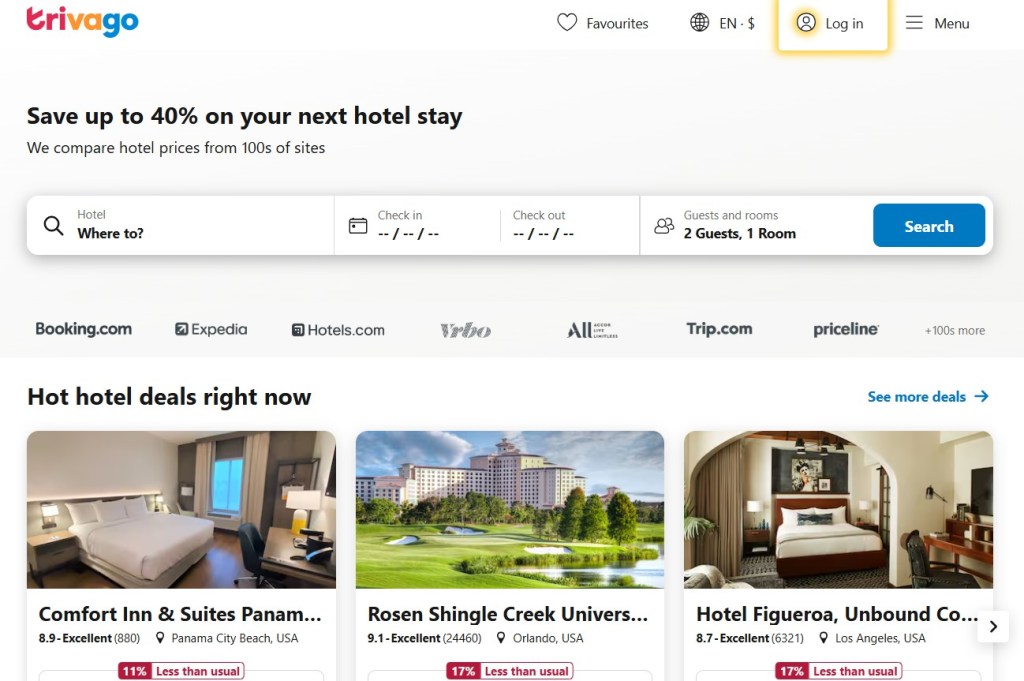
The PWA’s faster loading and ability to work offline for viewing recent searches made users more likely to use it repeatedly. Trivago’s case is highlighted as showing the importance of the installable aspect of PWAs – once users added it, they engaged much more.
Forbes developed a progressive web app for their news site, focusing on speed. The result was a PWA that loads in an instant and is highly engaging. Forbes saw a 43% increase in sessions per user with the new PWA as compared to their old site.
They also integrated features like offline reading for articles and push notifications for breaking news. This shows even a content publisher benefits from going the PWA route – users read more when the experience is snappy and app-like.
At MyTeams, we specialize in high-performance progressive web app development services that combine the best of web and mobile. As a trusted progressive web app development company, we create fast, reliable, and installable PWAs that deliver native-like experiences across devices. Here’s what sets us apart:
Custom PWA Solutions optimized for scalability and performance
Offline Functionality & Instant Loading for seamless user journeys
Cross-Platform Compatibility to maximize your reach
Robust Security & DevOps Integration for worry-free operations
Progressive Web Apps have emerged as a powerful approach to building modern applications, combining the strengths of the web and native apps. In this guide, we explained what progressive web apps are. A PWA progressive web app can be installed, work offline, send push notifications, and deliver a fast, immersive experience to users on any device.
In conclusion, a progressive web app is a powerful tool for businesses and developers. It lets you deliver a fast, engaging, and accessible experience to your users, which can translate into better customer satisfaction and higher conversion rates.
Whether you’re a startup looking to quickly launch a react progressive web app for your service, or an established business aiming to modernize your web presence, PWAs are worth serious consideration.