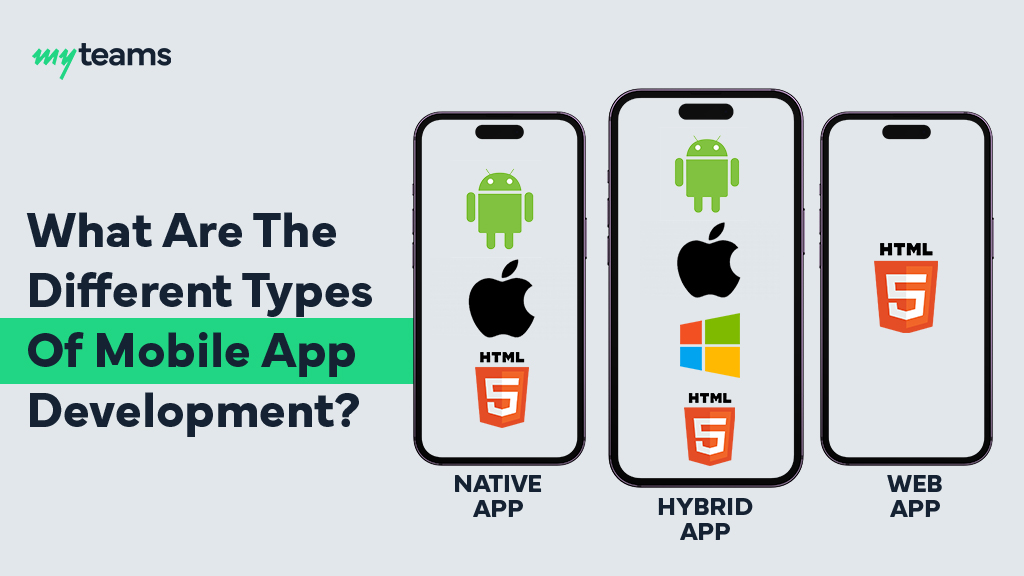
What Are The Different Types Of Mobile Applications

By - Roberta Cassiem
30 Mar 2026
Table of Contents
Building a mobile app for your business sounds like a great idea, but with so many options, native, web, cross-platform, hybrid, where do you even begin?
With 300 billion downloads predicted globally each year, making the right decision is more important than ever.
But don’t stress! We’ve got your back.
In this article, we’ll break down the types of mobile applications development in a way that’s clear, simple, and easy to follow. Ready to choose the right app for your business?
Let’s dive in!
Key Takeaways
- Choose Based on Needs: Pick the app type, native, web, cross-platform, or hybrid, that fits your goals and budget.
- Performance vs. Cost: Native apps offer top performance, while web and hybrid apps are more cost-effective, with cross-platform apps balancing both.
- Platform Flexibility: Web apps work across all platforms, cross-platform apps cover both iOS and Android, and hybrid apps offer device access with a single codebase.
- Complexity: For complex features, go native; for simpler solutions, choose web, hybrid, or cross-platform.
4 Different Types of Mobile Applications for Businesses
When you’re choosing a mobile app for your business, you’ll come across three common types:
- Native
- Hybrid
- Web
- Cross platform.
Each has its own set of features, benefits, and ideal use cases, so let’s break them down to help you make an informed decision.
1. Native Mobile Apps

Native apps are built specifically for one operating system, either iOS or Android, using the platform’s preferred programming languages.
Think of it as speaking the “native language” of the device.
If you’re looking for an app that works smoothly and efficiently, whether it’s a high-performance game or a secure fintech app with features like bio-authentication, native is your best bet.
These apps connect directly to the device’s hardware, delivering top-notch performance and a seamless experience that just feels right.
Benefits of Native Mobile Apps:
- High performance: Native apps offer superior performance because they are designed to work directly with the operating system, utilizing all device features.
- Full access to device features: Native apps can access all the hardware features of a device, including the camera, GPS, and sensors, which is crucial for apps that rely heavily on these features.
- Optimal user experience: Since the app is built specifically for one platform, it provides a smooth, seamless experience for users, closely following the platform’s guidelines.
Drawbacks of Native Mobile Apps:
- Higher development costs: Since you need to develop separate apps for iOS and Android, the cost of development is significantly higher.
- Longer time to market: Developing for multiple platforms means more time is required for development and testing.
- Need for separate teams: For a native app, you’ll likely need different teams for iOS app development and Android app development, which increases the complexity and resource requirements.
When to Choose:
Native apps are ideal for businesses that need complex functionality and superior performance.
If your app requires intensive graphics, real-time data updates, or advanced features like location tracking or push notifications, a native app is the best choice.
2. Web Mobile Apps

Web mobile apps aren’t your usual store downloads. Instead, they’re websites that look and feel like an app when you open them on your phone.
Built with JavaScript, HTML, and CSS, these apps run directly in your browser, so no downloads are needed.
The modern version, Progressive Web Apps (PWAs), can even work offline and be added to your home screen, making them feel just like a native app, without the hassle.
Benefits of Web Mobile Apps:
- Cost-effective: Since web apps are essentially websites, they are more affordable to develop and maintain than native apps.
- Cross-platform compatibility: Web apps are accessible across devices, whether iOS, Android, or any other platform, without the need for multiple versions.
- Easy updates: Since the app is web-based, updates can be rolled out without requiring users to download anything from an app store.
Drawbacks of Web Mobile Apps:
- Limited access to device features: Web apps don’t have full access to the device’s hardware, so you can’t leverage features like the camera, GPS, or push notifications as easily.
- Performance limitations: Web apps typically don’t offer the same level of performance as native apps, as they rely on the browser to run, which can result in slower speeds.
- Requires internet: Web apps require an active internet connection, which may not be ideal for users who need offline access.
When to Choose:
Web apps are a great option for businesses with basic requirements or limited budgets.
If you need to deliver content or services without advanced device interactions, a web mobile app could be a perfect solution.
They’re also great for businesses that want to reach a wide audience across platforms without worrying about app store submission.
3. Hybrid Mobile Apps

Hybrid mobile apps are like the best of both worlds.
They’re essentially web apps wrapped in a native “shell,” allowing them to be installed and run just like a regular app.
Developers use familiar web technologies to build them, but package them in a way that works across both iOS and Android.
These apps are perfect for things like social media feeds or productivity tools, offering a smooth, cost-effective solution without sacrificing too much on performance.
Benefits of Hybrid Mobile Apps:
- Faster development: Since you use a single codebase for both iOS and Android, hybrid apps can be developed more quickly and cost-effectively compared to native apps.
- Cross-platform compatibility: Hybrid apps can run on both iOS and Android, making them a good choice for businesses looking to reach users on multiple platforms with a single app.
- Access to some device features: Hybrid apps can access device features like the camera and GPS, although they may not be as seamless or powerful as native apps.
Drawbacks of Hybrid Mobile Apps:
- Performance limitations: While hybrid apps can access some device features, they generally don’t offer the same level of performance as native apps, especially for graphics-intensive applications.
- Complexity in advanced functionalities: If your app requires complex or highly customized functionality, a hybrid app may struggle to meet those needs without significant workarounds.
When to Choose:
Hybrid apps are ideal for businesses that want to balance cost with functionality.
They work well for apps with moderate complexity that need to be available across both iOS and Android without the need for high-end performance or complex features.
4. Cross Platform Mobile Apps:

Cross-platform mobile apps are designed to run on both iOS and Android using a single codebase.
Built with frameworks like React Native or Flutter, they offer a cost-effective way to reach a broader audience while saving on development time and expenses.
While they may not match the performance of native apps, they provide a great balance of functionality and affordability.
Benefits of Cross-Platform Apps:
- Cost-effective: One codebase for both platforms means significant savings in development and maintenance costs.
- Faster time to market: Develop and launch your app across both iOS and Android in less time than building separate native apps.
- Consistent experience: Users on both platforms get the same experience, ensuring consistency across devices.
Drawbacks of Cross-Platform Apps:
- Performance: While generally faster than hybrid apps, cross-platform apps still can’t match the speed and performance of native apps, especially for resource-heavy tasks.
- Limited device feature access: Some device-specific features might not work as smoothly as with native apps, especially in complex applications.
When to Choose:
Go for cross-platform apps if you’re looking to reach both iOS and Android users without breaking the bank.
They’re perfect for apps with moderate complexity, think e-commerce, social media, or content-driven apps, where consistent performance across platforms matters more than squeezing out every bit of performance.
A Comprehensive Comparison of Native, Hybrid, and Web Mobile Apps
| Criteria | Native Apps | Web Apps | Hybrid Apps | Cross-Platform Apps |
| Performance | Excellent | Limited | Good | Good |
| Access to Device Features | Full access | Limited | Partial | Partial |
| Development Cost | High | Low | Moderate | Moderate |
| Time to Market | Long | Short | Moderate | Moderate |
| Cross-Platform | No | Yes | Yes | Yes |
| User Experience | Best | Moderate | Good | Good |
| Maintenance | Complex (for each platform) | Simple | Moderate | Moderate |
Choosing the Most Profitable Mobile Applications Type for Your Business
Choosing the right type of mobile app development depends on your business’s goals, budget, and timeline.
Here are a few key questions to help you decide:
1. What is your budget?
If you have a limited budget, web mobile apps are the most cost-effective solution.
However, if you need better performance and are willing to invest more, native apps may be the better option.
2. What functionality do you need?
For simple functionality, web apps are ideal.
For complex features like offline access or advanced device capabilities, native or hybrid apps are better suited.
3. What platforms are you targeting?
If you want to reach a wide audience across different platforms, hybrid apps or web apps are your best bet.
However, if you’re focused on one platform, native apps can provide the best experience.
Cost of Mobile Applications by Type: Native, Hybrid, and Web
1. Native Apps
Native apps are the most expensive option.
Developing separate apps for both iOS and Android can cost anywhere from $25,000 to $250,000 or more, depending on the complexity and features.
If you need advanced features, such as real-time data or high-end graphics (e.g., gaming apps), the cost can easily exceed this range.
Additionally, maintaining two separate versions of the app for updates and bug fixes adds to the ongoing costs.
2. Hybrid Apps
Hybrid apps are more affordable than native apps, because of the use of a single codebase for both iOS and Android.
The development cost typically ranges between $10,000 to $100,000, depending on the complexity and features required.
While this is cheaper than native apps, hybrid apps may still require additional resources to ensure performance across different devices and platforms.
A great example of a hybrid app we created at MyTeams is ActiveHive. It blends features like membership management, session booking, and personalized fitness tracking in one smooth app.
It’s a perfect case study showing how hybrid apps provide a solid, cost-effective solution for businesses wanting to reach users on both iOS and Android without compromising performance.
3. Web Apps
Web apps are the most cost-effective option.
Since they use a single codebase and don’t need separate versions for different platforms, the development cost is significantly lower.
A basic web app can cost anywhere from $5,000 to $15,000, depending on the functionality and design complexity.
However, if you opt for a more advanced Progressive Web App (PWA) with offline capabilities or custom features, the cost may increase, typically ranging from $35,000 to $150,000.
Overall, the choice of app type should align with your business’s goals, budget, and desired features, as each option comes with its own cost structure.
4. Cross-Platform Apps
Cross-platform apps are developed using a single codebase for both iOS and Android, making them more affordable than native apps.
The development cost typically ranges from $15,000 to $150,000, depending on the complexity of the app and the features required.
While cross-platform apps offer significant cost savings compared to native apps, they may still face limitations in performance, especially for resource-heavy tasks.
For example, MyTeams developed Myco (read the full case study here), a cross-platform mobile app that runs seamlessly on web, iOS, and Android.
With 40M registered users and a 50M reach, the app provides a unified experience across platforms, demonstrating MyTeams expertise in delivering high-performance solutions for businesses looking to expand their audience globally.
FAQs
How many types of mobile app development are there?
There are three main types of mobile app development: native, hybrid, and web mobile apps. Each serves a different purpose and offers unique advantages depending on your business’s needs.
Which type of mobile app development is best for my business?
Choosing the right app development type boils down to your needs: native apps deliver top performance but are pricey, hybrid apps offer a cost-effective cross-platform solution with some trade-offs, and web apps are the most budget-friendly but lack device features and need an internet connection.
Wrapping It Up!
Selecting the right types of mobile applications is a key decision for your business’s growth.
Whether you go with native, hybrid, cross-platform or web mobile apps, understanding their unique advantages and limitations helps ensure you make the right choice that aligns with your objectives and budget.
Now that you’re equipped with all the essential information, it’s time to build an app that elevates your business.
For expert guidance, get in touch with our team at MyTeams. You can reach us via email at info@myteams.co or contact us directly at (512) 265-6881. Let’s bring your app vision to life!